





How to Delete Your Account
On this page, you'll find detailed instructions on how to delete your account for all our products.
We provide step-by-step guides, screenshots, and videos to make the process as simple and clear as possible.
If you have any questions or encounter issues, our support team is always ready to assist.
Our products
 Family Errands Mobile App
How to Delete Your Account in the App
Follow these steps to delete your account from the app.
Refer to the provided screenshots or video for additional guidance:
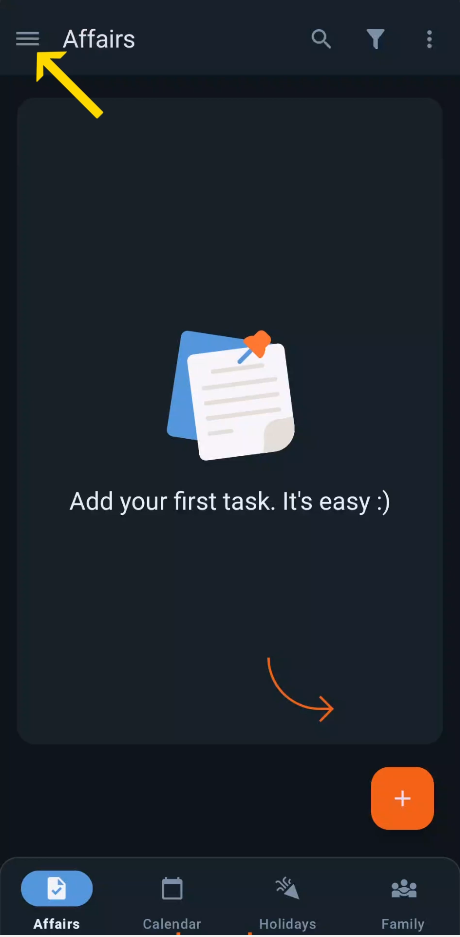
- Open the MenuTap on the menu icon (three horizontal lines) located in the top-left corner of the main screen.
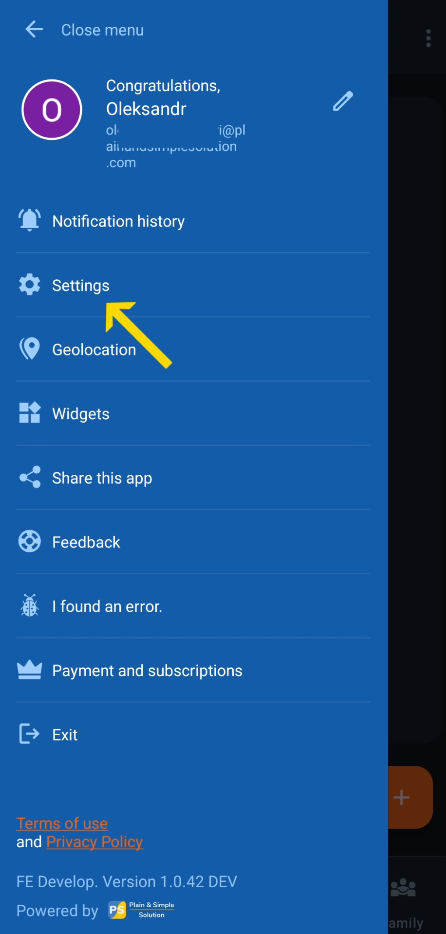
- Navigate to SettingsIn the menu, tap on “Settings” to access the app settings.
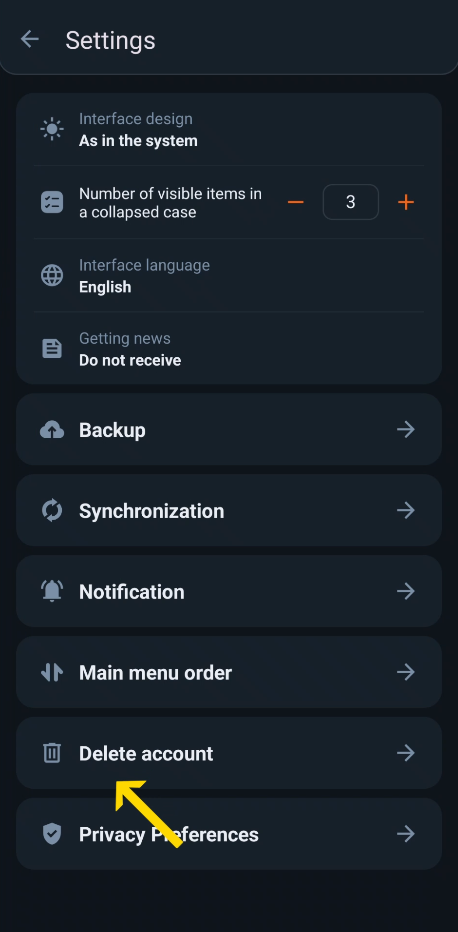
- Go to the “Delete Account” SectionIn the settings, scroll down and select “Delete Account”.
- Read the Important InformationCarefully review the information on what happens when you delete your account:
- Your account and all associated data will be permanently deleted.
- Cases, events, and shared content will no longer be available.
- If you are part of or manage a family group, your removal or group disbandment will occur.
- Account deletion does not cancel your subscription. To avoid future charges, cancel your subscription through Google Play or the App Store — wherever you purchased it — at least 24 hours before the next billing cycle.
- Enter the Confirmation CodeEnter the digits displayed on the screen into the confirmation box.
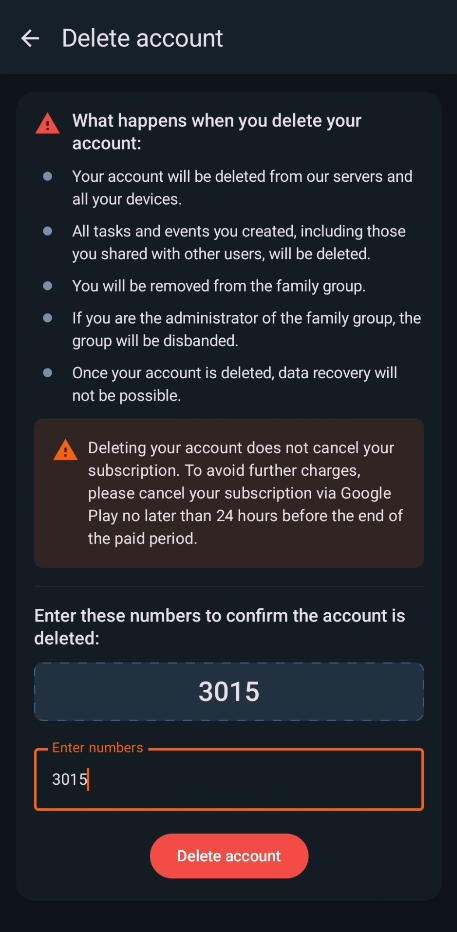
- Delete Your AccountTap on the “Delete Account” button to finalize the process.
What is deleted and what is retained
When you delete your account, we permanently delete from our active systems:
- Your profile data — name, email address and avatar;
- All your records — affairs, notes, birthdays and celebration history, including their items, descriptions, notes, gift ideas and photos, and the contents of the Trash;
- Locations and geolocation reminders saved inside your records;
- Your family group membership and the content you shared with family members;
- Purchase records associated with your account;
- Device and analytics identifiers linked to your account.
Additional retention. Your data is removed from our active systems immediately. Analytics data still in transit at the moment of deletion is removed as soon as it arrives, within 5 days. Google Analytics, our analytics provider, removes such data from its reports within 24 hours of our request and permanently deletes it within 63 days. Technical access logs of our API are retained for up to 180 days and are then permanently deleted. Backup copies of our database are kept only to restore the service after a failure, are not used for any other purpose, and are permanently deleted within 365 days.
How to delete your data without deleting your account
You do not have to delete your account to remove your data:
- In the app. Delete any affair, note or birthday — it is moved to the Trash. Emptying the Trash (or letting it clear automatically after the period set in the app settings) permanently removes the record and its photos from our servers.
- By request. Write to family-errands@plainandsimplesolution.com stating which data you want deleted. We will confirm your request and delete the data from our active systems; API logs are purged within 180 days and backup copies within 365 days.
Watch the Video Guide
Below is the video guide to help you through the process:
Got a question? Ask us
We’ll advise you on Plain&Simple Solution products