Why one morning message beats many small ones
Separate reminders work well for things that must happen at a set minute: leave for the dentist, take the cake out of the oven. For everything else they arrive one by one through the day and are easy to swipe away. A single overview in the morning gives you the shape of the day before it starts:
- You see everything at once. Three errands and a birthday read differently from four separate pings.
- You can adjust early. If the day is full, you know at breakfast, not at five in the evening.
- Nothing hides in an app you didn't open. The summary comes to you; you don't have to remember to look.
- It's calm. One message at an hour you choose, instead of a phone that buzzes all morning.

A simple morning routine with your list
Read the summary
Before the day gets busy, glance at what's on it.
Pick the one thing that must happen today
Everything else can move if needed.
Move what won't fit
It's easier to shift an errand to tomorrow at 8 a.m. than to find it undone at 9 p.m.
Hand over what someone else can do
If your partner is passing the post office anyway, give that errand to them.
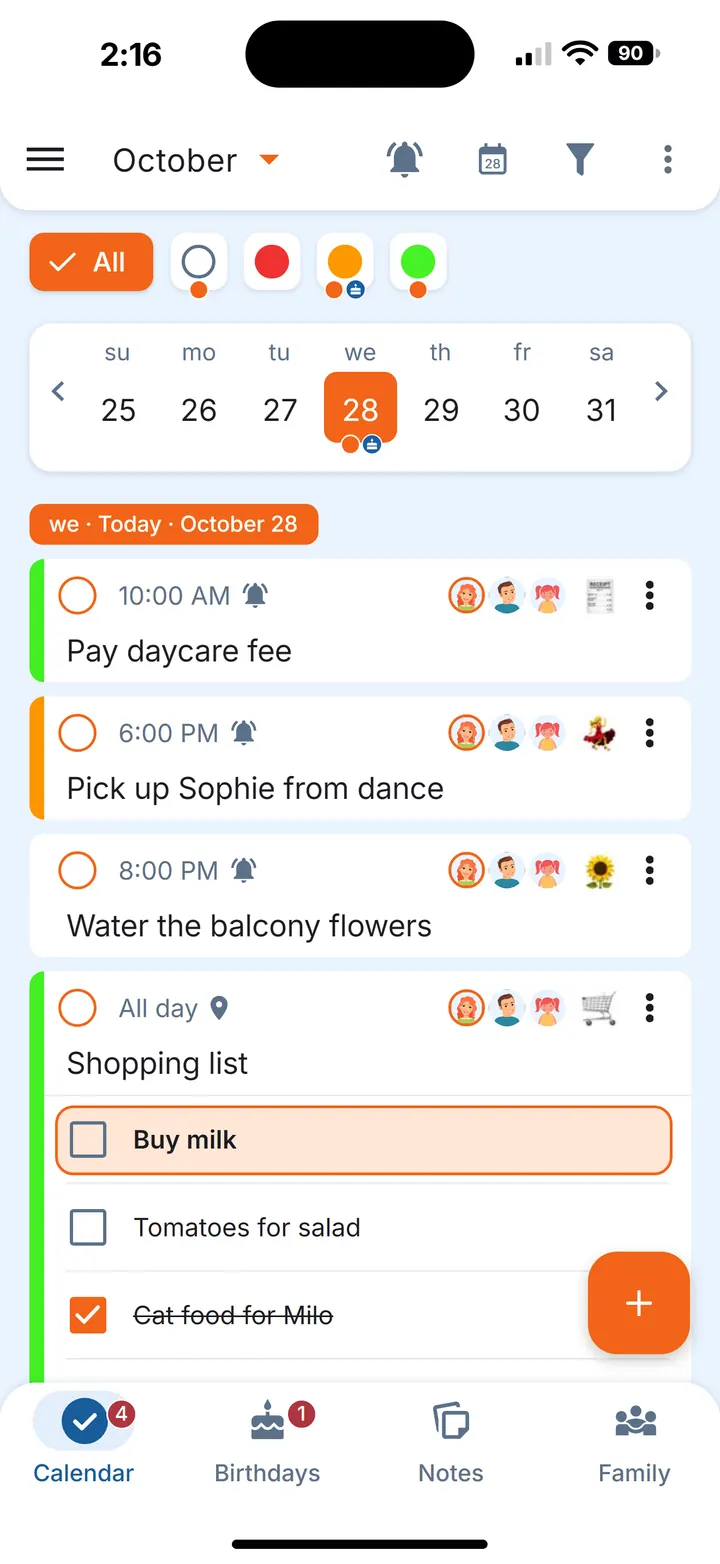
The daily summary in Family Errands
Set the hour
The daily summary is on by default. Choose the time it arrives, so it fits your morning rather than waking you up.
Choose the days
Pick the weekdays you want it on — for example only on workdays, if weekends run on their own rhythm.
Read what's in it
The notification lists today's errands and today's birthdays in one place, so a birthday doesn't come as a surprise at lunchtime.
Keep undated errands in view
Errands without a date are shown every day until you complete them (or only on the weekdays you picked for them), so the “someday” jobs don't disappear between mornings.
The summary doesn't replace the reminders you set on individual errands. An errand with a reminder 30 minutes before still sounds at its time; the morning message is the overview on top.
When nothing is planned: plan the day in a minute
Some mornings the list is empty — a day off, a quiet Sunday, a week after a holiday when nothing has been added yet. If you switch on the “Plan for the day” prompt, the app notices that nothing is planned for today and asks whether you'd like to plan it. The prompt is off by default; you turn it on only if you find it useful.
When it asks, a minute is enough:
- Add the one errand that would make the day feel done — “Call Grandma”, “Take the winter coats to the cleaner's”.
- Think of something that has been waiting for a free day and give it today's date.
- Glance at the next birthdays and add a gift errand if one is coming up.
Questions
Can I turn the daily summary off or change its time?
Yes. You choose the hour and the weekdays it arrives on, and you can switch it off.
Does the summary include birthdays?
Yes. It lists today's errands and today's birthdays together.
Will it ask me to plan the day every morning?
No. The “Plan for the day” prompt is off by default, and when it's on it only asks on days when nothing is planned yet.