Pick the numbers worth a glance
A phone screen fits two or three numbers, not twenty. Good candidates:
- Overdue cards across all boards.
- Cards due today.
- Cards completed this week.
- A short table of what's due this week.

Get it on your phone with Reporting & Dashboards
Reporting & Dashboards is the mobile companion app to the Cross-Board Reporting & Dashboards Power-Up, for iPhone and Android. It shows the dashboards you built in Trello, with live data.
Build the dashboard in Trello
Dashboards and widgets are created and edited in the Power-Up; the app is for viewing.
Install the app
from the App Store or Google Play.
Connect it
Generate an authorization code in the Power-Up and enter it in the app. There's no separate account or sign-up.
Open your dashboards
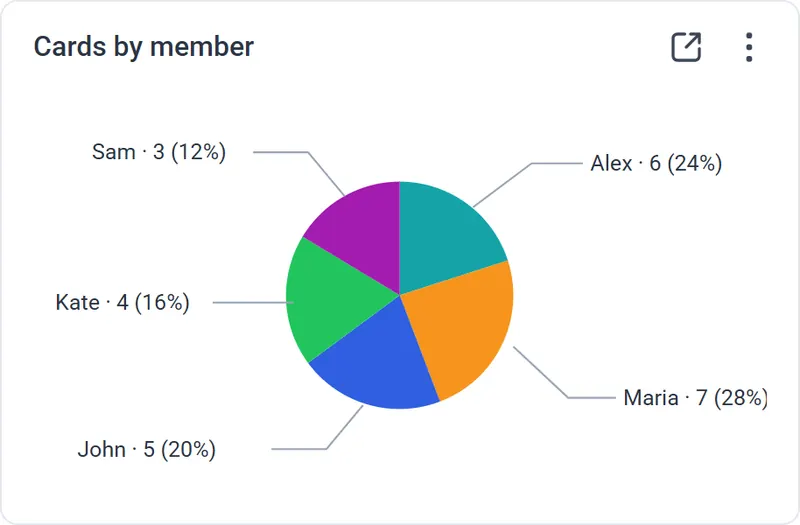
Counters, tables, text blocks, pie, bar and line charts; open any widget full screen from its ⋮ menu, and tap ↻ to refresh the dashboard.
Pin a widget to the home screen
Add a counter, table or chart as a home screen widget on iPhone or Android. It refreshes automatically.
A setup that works
- One small dashboard just for the phone: three counters and one table.
- The “Overdue” counter on the home screen — one number tells you if anything needs attention.
- Light or dark theme, or follow the system.
Questions
Can I edit cards from the app?
No. The app shows dashboards. To change a card, open it in Trello.
Which plans include the app?
The mobile app is part of the Pro and Pro+ plans and the trial.
How do I disconnect a lost phone?
In the Power-Up you can disconnect all connected phones at once.