What makes a shared grocery list work
Most couples start with the family chat. Someone writes “we need milk, eggs and bin bags”, then come photos, a link and a question about the weekend, and by the time someone is in the store the list is three screens up. A shared list works better when it follows a few simple habits:
- One list, one place. Groceries live in their own list, not between messages. Whoever is shopping opens it and sees everything.
- Add it the moment you notice. The last spoonful of coffee is the moment to add coffee. It takes five seconds and nobody has to remember it later.
- Tick items off as you shop. When the list updates on both phones, the person at home can see what's already in the basket and add the thing they just remembered.
- Write your basics once. Bread, milk, fruit, washing-up liquid — the things you buy every week don't need to be typed again every week.
- Keep it simple. Items are enough. A list that takes effort to maintain stops being used.
These habits work with any tool, even paper on the fridge. A shared list on your phones simply removes the step where someone has to copy, photograph or forward the list.
How to share a grocery list in Family Errands
In Family Errands, a grocery list is an errand with a checklist — one checklist item per product.
Create an errand
Open the calendar and add a new errand. It lands on the day selected in the calendar.
Name it
Give it a title, for example “Groceries”, and pick an emoji or colour if you like.
Add checklist items
Add your products to the errand's checklist, one item per product. Already have a list in a chat or a note? Copy it, and the app offers to turn the copied text into a new errand: each line becomes a separate checklist item. Bullets like “-” or “1.” are removed for you.
Invite your partner
In the family section, the app creates an invitation link with a 6-digit code that you send through any messenger. After installing the app and signing in, your partner confirms joining with one tap.
Share it
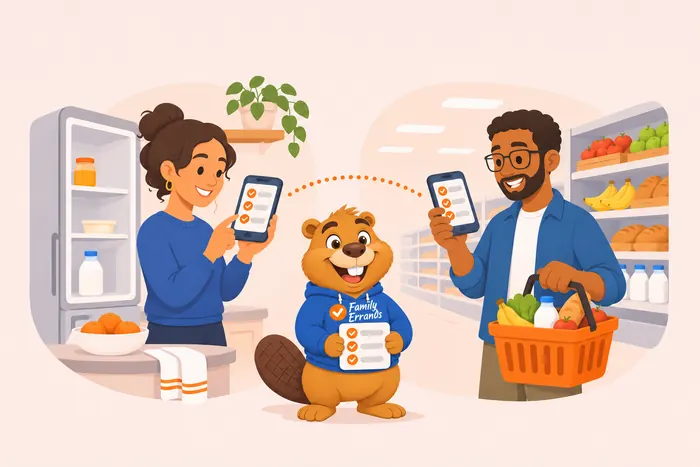
Open the errand and tap your partner's avatar to share it. Now it's an errand for both of you: you both see the list and can both edit it.
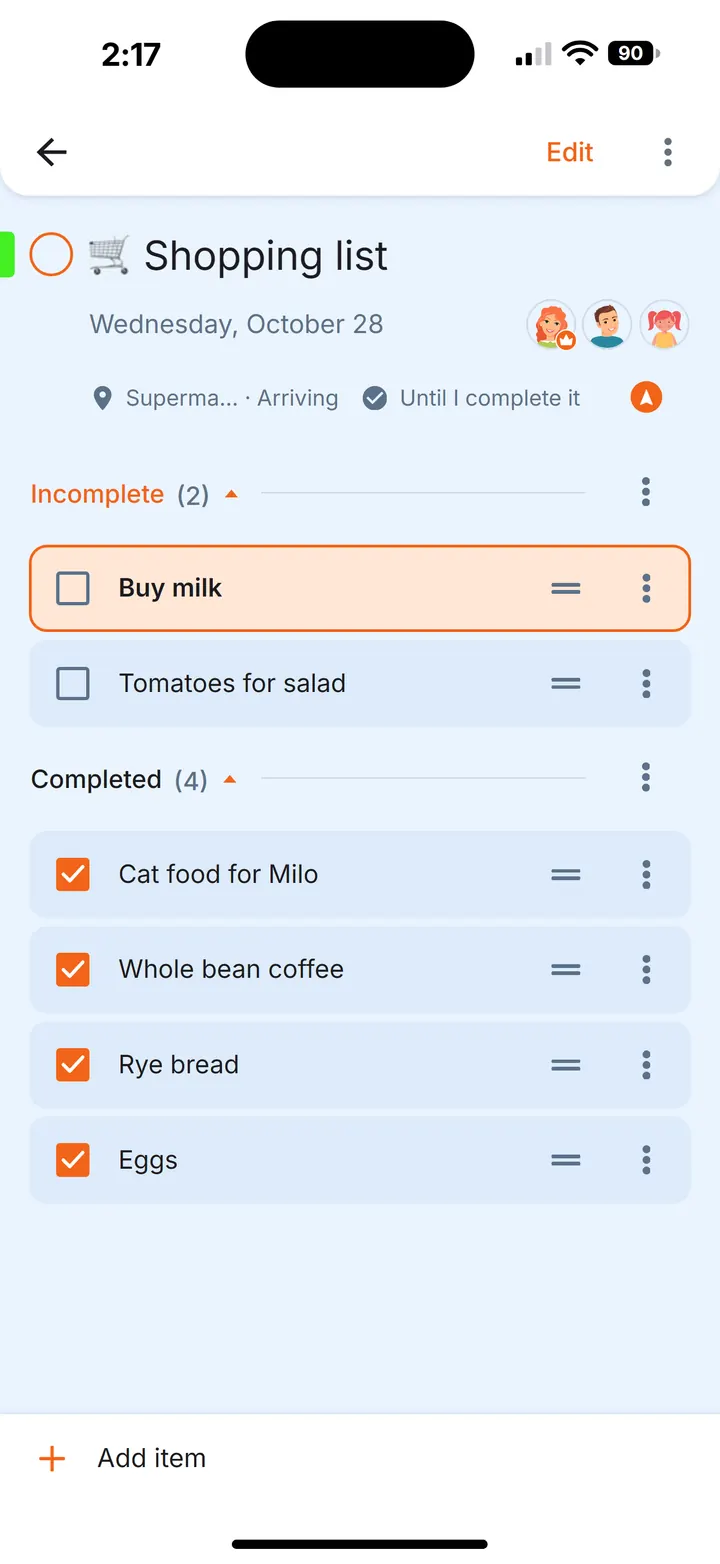
From now on, whatever either of you adds or ticks off shows up on the other phone automatically. Syncing needs an internet connection; if one of you is offline, the changes sync as soon as the connection is back.
Tip. If the grocery list doesn't need a specific day, leave it without a date: it is shown every day until you complete it.
In the store
- Tick items off as you go. Each checklist item can be ticked separately, so your partner at home sees what's already in the basket.
- Let the list find you. Add a place to the errand — your supermarket — and ask to be reminded when you arrive. When you walk in, the notification shows what's still on your grocery list. You can save places — home, supermarket, pharmacy — with a name, an emoji and a colour, and reuse them.
- Keep the list on your home screen. Put a widget with one errand on your home screen: it shows the checklist, and you can tick items right there without opening the app.
- Each of you sets your own reminder. In a shared errand, reminders are personal: one of you can get a reminder an hour before the shopping trip, the other ten minutes before.
A weekly basics list you write once
The things you buy every week fit neatly into a note that you use as a template.
Write the note
Create a note called “Weekly basics” and add a checklist: milk, bread, eggs, fruit, coffee, washing-up liquid.
Create an errand from it
Before shopping, open the note and turn it into an errand: a new errand for today opens with the same title and checklist — save it, and the note stays as it is for next week.
Add extras and share
Add this week's extras to the new errand and share it with your partner.
The same idea works for a party or a barbecue: write the shopping list once as a note, create an errand from it before each event, and share it with the family members who are helping — each person can add what they'll bring or buy.
Questions
Can two people edit the same grocery list at the same time?
Yes. A shared errand is editable by everyone it's shared with, and changes appear on the other phones automatically while you're online.
Can I share just one item instead of the whole list?
Yes. In Family Errands you can share a single checklist item with a family member, not only the whole errand.
How many people can share a list?
A family in Family Errands has up to 5 people in total, and you choose who sees each list.
Can I turn a list from a group chat into a checklist?
Yes. Copy the text and the app offers to create a new errand from it, with one checklist item per line.
Is Family Errands free?
New accounts start with a free trial. After the trial, one subscription, monthly or yearly, covers the whole family of up to 5 people: family members who join don't need a subscription of their own.
Does it work on iPhone?
Family Errands is available on Android now; the iPhone version is coming.