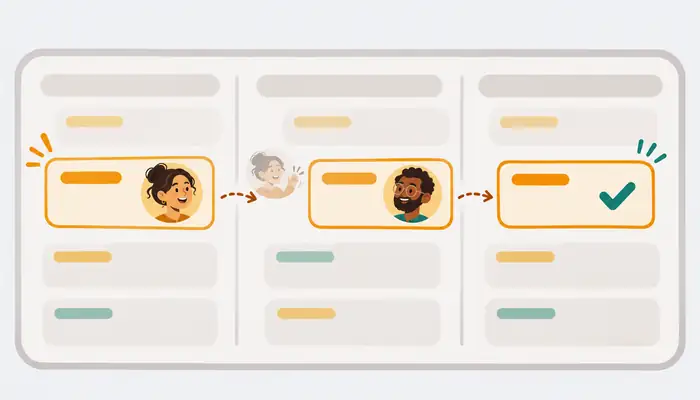
What you usually want to know
- Who archived or deleted a card, and when.
- What moved to “Done” in a given week, and by whom.
- What changed on a card: dates, labels, members, Custom Fields.
- A file for a report or retrospective, rather than scrolling.
Scrolling a long activity feed answers these slowly. Filters by date, member and action type answer them directly.

Set up the Extended Activity Log in Board Assistant
Board Assistant is a Power-Up with a section called Extended Activity Log: a searchable feed of what happened on the boards connected to your plan.
Add the Power-Up
Add Board Assistant to your boards, open it with the Board Assistant button and connect the boards to a plan (the free plan is enough to try it).
Switch logging on
Open Extended Activity Log and agree that events will be stored. Logging is opt-in, and recording starts from that moment. Earlier history is not available, so switch it on before you need it.
Let it record
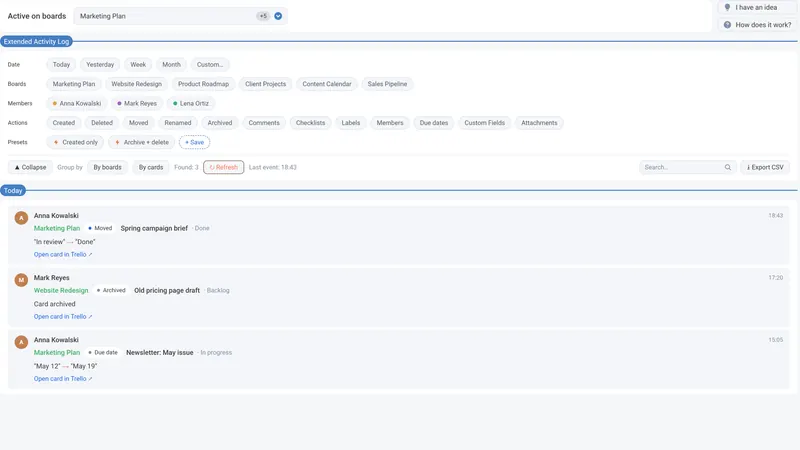
Events are recorded in real time: card creation, moves, renaming, archiving, deletion, copying; comments; checklists; labels; members and board roles; dates; attachments; Custom Fields; list changes; and the board's name, description and background, and closing or reopening the board. Each entry shows the old and the new value where it applies.
Filter
Narrow the feed by date (today, yesterday, week, month or a custom range), board, member, action type, or text search. Save filters you use often as presets, and group entries by board or by card.
Open the card
Entries about a card open it in Trello (except deleted cards).
Export to CSV
Export the filtered list, up to 10,000 rows per export, for a report or a retrospective.
Things to know
- How far back the log goes depends on your plan. See the current plans in the Power-Up.
- Each member has their own copy of the log. It records the actions of everyone on the boards in their plan, and only they see their copy; a teammate who switches logging on for the same boards sees the same events from the moment they switched it on.
- Turning logging off permanently deletes the stored log.
- Times are shown in your Trello time zone and format.
The log is there to make work on the board transparent: what happened to a card and when, so a team can answer its own questions.
Questions
How do I see who archived a Trello card?
In the Extended Activity Log, filter by the action type “archived” and a date range. The entry shows who archived the card, and you can open the card from it.
Can I export Trello board activity?
Yes. Filter the Extended Activity Log and export the result to CSV, up to 10,000 rows per export.
Does the log show history from before I switched it on?
No. It starts recording when you switch it on.
Can my teammates see my activity log?
Not your copy of it. But the log records everyone's actions on a board, so a teammate who switches logging on for the same board sees the same events, including yours, from the moment they switched it on.
How long is the board history kept?
It depends on your plan; the current plans are shown in the Power-Up.