Three signs of stuck work
- Long time in one list. The card entered “Review” or “Waiting for client” long ago and hasn't moved.
- No activity. No comments, no changes, no attachments for weeks.
- Many list moves. The card goes back and forth between “In progress” and “Review” — a sign of unclear requirements.

Where to look first
Bottlenecks usually sit in lists where work waits on someone: Review, Approval, Waiting, Blocked, QA. Start with those, then widen the check to all open cards.
Build the report with Cross-Board Reporting & Dashboards
The Power-Up reads In list since, Last activity and List moves count for every card, on as many boards as you connect.
Table “Stuck in review”
Condition: Lists equals “Review” and In list since — Older than 7 days. Columns: Board name, Card name, Members, In list since, Card link. Sort by In list since.
Counter next to it
The same condition, a goal of 1 and red as the goal colour, so the number turns red as soon as a card gets stuck.
Table “No activity”
Last activity — Older than 30 days, Lists not equal “Done”.
Table “Bouncing cards”
List moves count more than 5, sorted by the count.
Bar chart “Where work waits”
Cards with In list since — Older than 7 days, split by Lists — shows which stage holds the most.
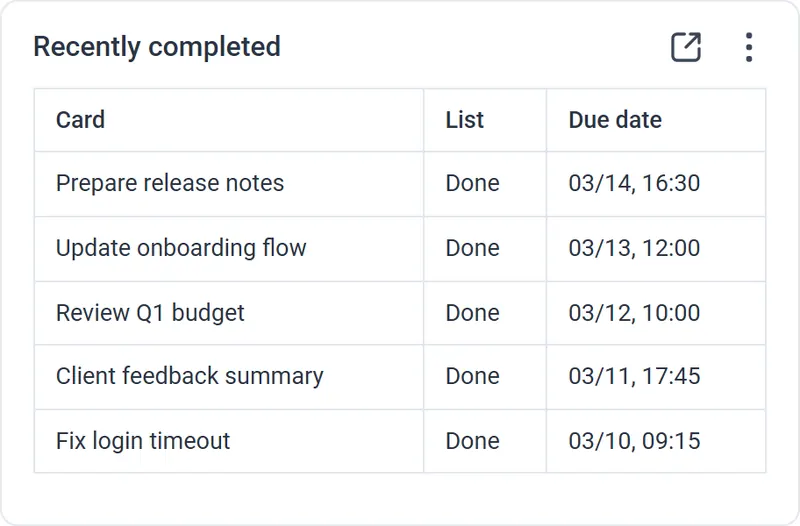
Add the Card link column to each table, and every row gets a link that opens its card, so you nudge it along in Trello.
Making it stick
- Pick thresholds that fit your rhythm: 3 days for a fast support board, 14 for long projects.
- Review the stuck list at the start of a weekly meeting — it's short, and every item is a decision.
- Leave “Done” and archive lists out with a condition, or they'll fill the report.
Questions
What does “In list since” count?
The date the card entered its current list. “Older than 7 days” means it's been there for more than a week.
Does it work across boards with different list names?
Yes, but conditions on Lists match names: add Lists equals “Review” and Lists equals “In review”, and choose “any condition”.
Can I get a notice when a card gets stuck?
The dashboard shows it; it doesn't send messages. Keep the counter on a dashboard you open daily.