What people usually want to add up
- Budget or invoice amount per client, and the total across all clients.
- Hours — planned and spent, and the share already used.
- Story points in each sprint list.
- Quantities — items, pages, units — per list or per person.
The question is almost always “how much in total, and split by what”: by list, by board, by member, by month.

Set the field up so it can be summed
- Use a number Custom Field. Text fields with “€1,200” in them can't be added up.
- Give the field the same name and type on every board. “Budget” on ten client boards then behaves as one field in reports.
- Leave the field empty when there's no value, rather than typing 0 or a dash.
Sum it with Cross-Board Reporting & Dashboards
Cross-Board Reporting & Dashboards, a Trello Power-Up, combines Custom Fields with the same name and type from different boards into one field, so it can be summed across boards.
Enable the Power-Up
Enable it on each board you want to sum; your plan counts the boards your widgets read.
Create a counter
In the widget wizard choose the boards, then on the Style step choose Card field value, Sum and your number field, for example Budget.
Filter if needed
“Only cards that meet a condition” — say, Lists not equal “Done”, to sum only open work.
Set a goal
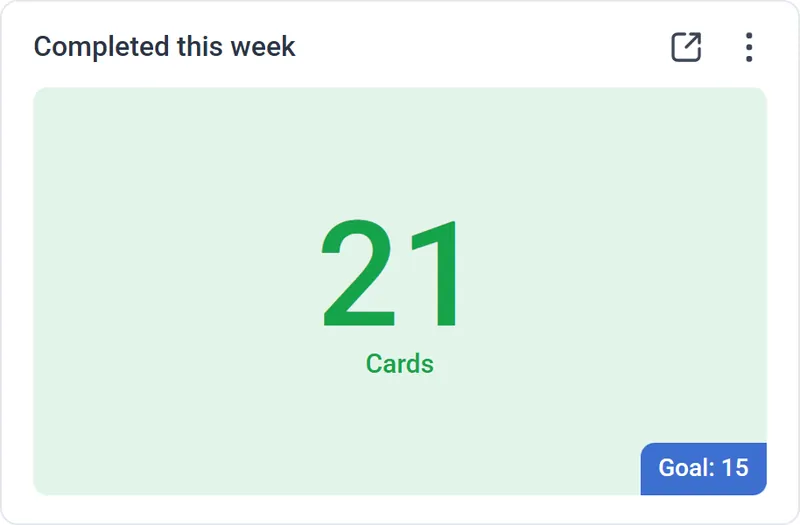
The number changes colour when the goal is reached — useful for a monthly target or a budget limit.
Split it
For a total per board, per list or per member, make a bar chart: split by Board name, bar height = Sum of Budget.
Totals that people ask about
- Budget per client — bar chart, split by Board name, Sum of Budget.
- Hours spent vs planned — a percentage widget: one number of another, Sum of Hours spent out of Sum of Hours planned. It shows the percentage and “X of Y”.
- Story points per sprint list — bar chart split by Lists, Sum of Story points.
- Invoiced per month — line chart grouped by month of a date field, Sum of Invoice amount, with an optional trend line.
Average, Min and Max work the same way as Sum, if you need the typical or the largest value instead of the total.
Questions
Do I need Custom Fields at all?
No. Dashboards also work with lists, labels, members, dates and checklists. Custom Fields matter when the number you want to total lives in a field.
What if the field has different names on different boards?
Only fields with the same name and type are combined. Rename them to match in Trello, and they'll be added up together.
Can I get the numbers into a spreadsheet?
Yes: open the data behind a chart, counter or table widget and use Export to Excel.