Why notes and to-dos are different things
A note collects whatever is on your mind: what the teacher said at parents' evening, what the mechanic mentioned when you picked up the car, things to sort out before relatives come to stay. It's quick to write and it doesn't ask anything of you.
That's also why a note quietly fills up and gets forgotten. Nothing in it has a date, nothing reminds you, and the next step is still somewhere between the lines. A to-do is smaller and sharper: one action, one day, ideally visible to everyone it concerns.

Turning a note into a to-do list, step by step
This works on paper, in any notes app, or in your head on the bus home:
- Read the note once and mark the actions. “Reading log every evening” is an action; “teacher seems happy with maths” is just information. Leave information in the note.
- Rewrite each action as a verb. “Winter tyres?” becomes “Book the winter tyre change”. A to-do you can start without thinking is easier to finish.
- Group small steps under one job. “Ask about the dentist form, find the PE kit, sign the trip letter” can be one to-do with three ticks rather than three loose items.
- Give it a day. Not every line needs a deadline, but the job as a whole needs a moment when you'll look at it.
- Decide who should see it. If it involves another person in the household, share it with them instead of passing it on in a message later.
- Keep the note if it's still useful. Notes you come back to — the visit-prep list, the questions for the next school meeting — are worth keeping as they are.
How to do it in Family Errands
In Family Errands a note is free text and/or a checklist without a date, and an errand is anything that needs doing, with a date, a checklist and reminders. The step from one to the other is built in.
Write it down as a note
Add a note with text, a checklist or both. Give it a colour and an emoji if you like, pin it, and share it with chosen family members — or keep it just for yourself.
Create an errand from the note when it's time to act
A new errand appears for today with the note's title, text and checklist. The note stays as it is, so you can use it again next time.
Put the errand on the right day
Move it to another day if today isn't the day, and add a time and a reminder so it comes to you.
Share it or hand it over
Share the errand with family members by tapping their avatars, so everyone it's shared with sees it and can tick items off. If someone else is better placed to do it, hand the errand over: it becomes theirs and leaves your list.
Tick items off as you go
Each checklist item can be ticked on its own, so the errand shows what's left.
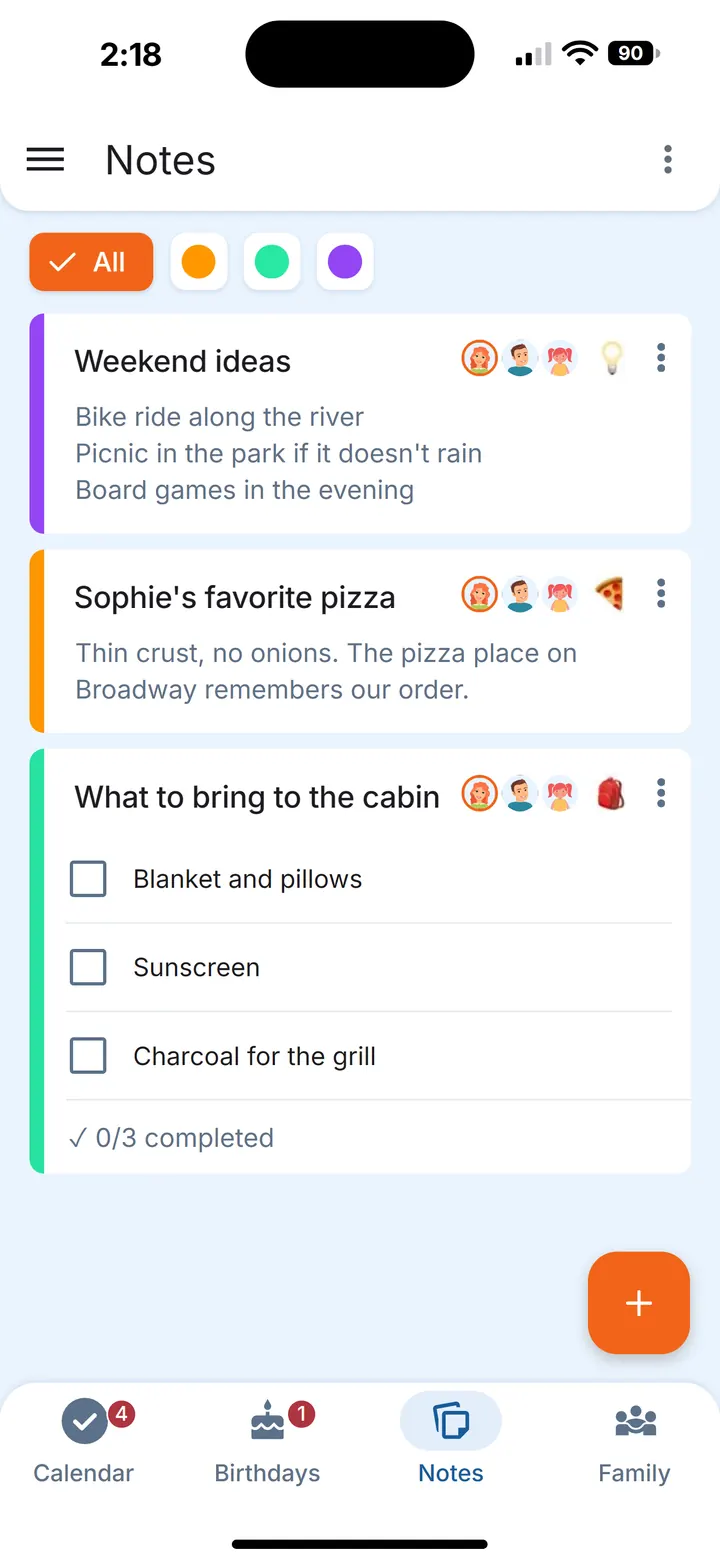
It also works the other way round: you can create a note from an errand, for a job you want to keep as a reusable list.
Notes from somewhere else
Not every note starts in the app. If the list is sitting in a chat or another note app, copy it: Family Errands offers to create a new errand from the copied text, and each line becomes a separate checklist item. Bullets like “-”, “•” and “1.” are removed automatically, and lines marked “[X]” come in as already ticked. You can also send text to Family Errands through the system “Share” menu.
So the notes you typed after parents' evening, or the list a relative sent in the family chat, can become a checklist errand without retyping a line.
Notes you'll reuse
Some notes are lists you return to again and again. Keep them as notes and create a fresh errand from them each time — the note itself stays untouched. We've written about this for the grocery staples list and the vacation packing list. For ideas that don't have a date yet, see the someday list.
Questions
How do I turn my notes into a to-do list?
Go through the note, pick out the lines that are actions, rewrite each one as something you can start, and give the job a day. In Family Errands you can create an errand straight from a note: it gets the note's title, text and checklist, and the note stays.
Can I convert a copied list into a checklist?
Yes. Copy the list from a chat or a note app, and Family Errands offers to create a new errand from the copied text, with each line as a separate checklist item.
Should I keep the note after making a to-do from it?
If it's a list you'll use again, yes. Creating an errand from a note leaves the note as it is, so it works as a template for next time.