What goes into an activities schedule
Before opening any app, write down what each child does in a normal week. For every activity, note:
- The day and time, and where it happens.
- When the term or season ends, so the schedule stops on its own.
- What has to go with the child: a sports bag, a music case, swimming goggles, a sheet of music.
- Paperwork and payments that come round: a form to send back, a term fee to pay, kit to replace when it's outgrown.
Keep space in the week too. A list on paper makes it easier to see whether the week still has quiet afternoons before anything new is added.

One errand per activity
In Family Errands, each activity can be a repeating errand on the calendar. School runs are covered in our school pickup schedule; activities work well as separate errands with their own pattern.
Create the errand
Give it a clear title, such as “Swimming” or “Piano lesson”, and set the time.
Pick a colour per child
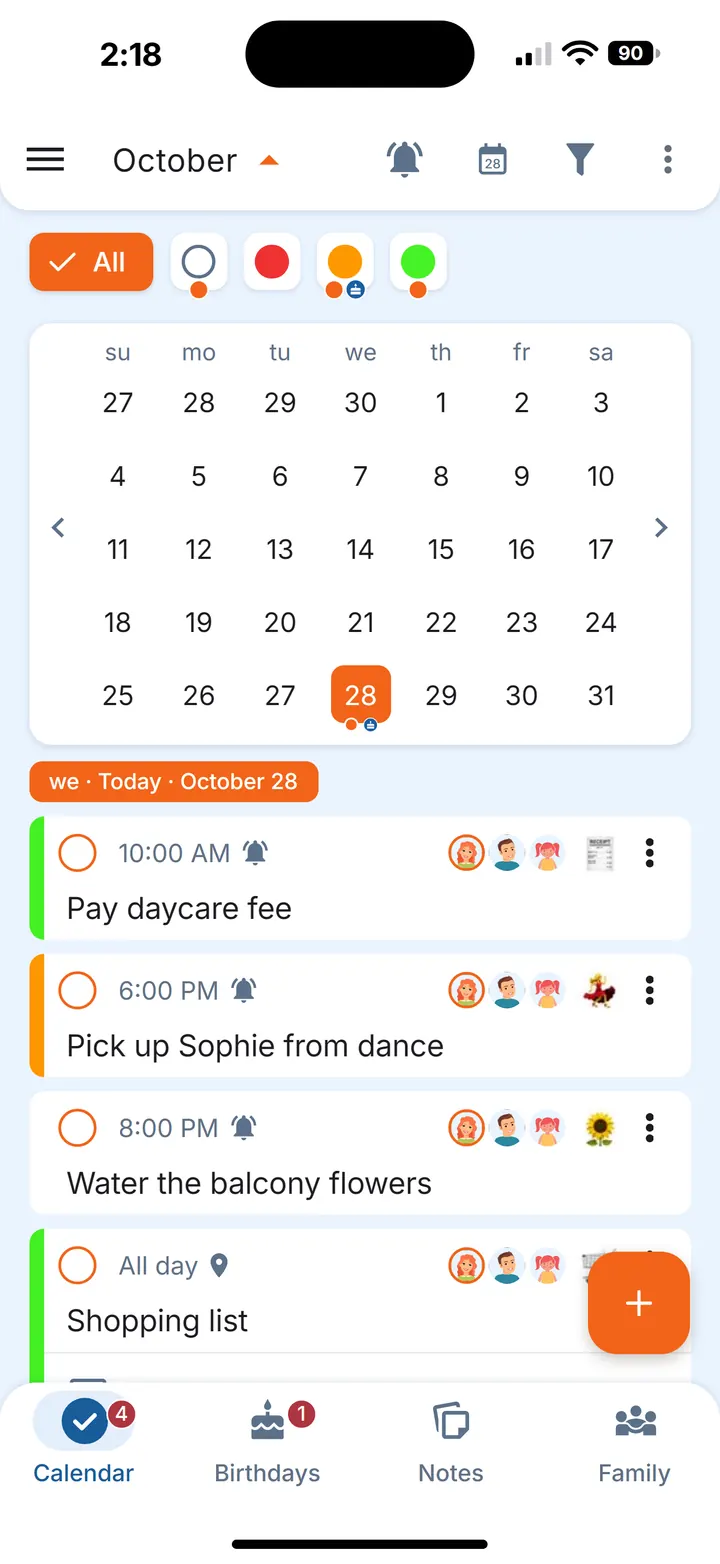
Errands can have a colour and an emoji, and the calendar can be filtered by colour, so you can see one child's week at a glance.
Repeat it on the right weekdays
A weekly repeat can fall on chosen days, for example Tuesday and Thursday for football practice.
Let it end with the term
Set an end date on the repeat, and the sessions stop appearing after the last week.
Add the kit as checklist items
“Goggles”, “towel”, “music book”: whoever does the run sees what to pack and ticks it off.
Share it
Tap your partner's avatar and the errand appears on their phone too. Each of you can set your own reminder time: a reminder you set on a shared errand applies only to you, and until you set one, you get the reminders of whoever created the errand.
Counting lessons in a block
Many lessons are booked in blocks: ten swimming lessons, a course of sessions with a tutor or therapist. Switch on Count completions, and if the repeat has an end date, the errand shows progress such as “Completed 8 of 10 times”. When a session is done, mark the errand complete and the count moves on. That way you can see how many lessons are left in the block without digging out the booking email.
When a session moves
Coaches cancel, halls get booked, a lesson shifts by a day. Small changes don't need a new plan:
- Skip one session. Skip a single occurrence and the rest of the repeat stays as it is; the skip can be undone if the session goes ahead after all.
- Change just that one. When you edit a repeating errand, you choose whether the change applies to only this occurrence, this and the following ones, or all of them. A one-off time change touches only that day.
- Move it to another day. An errand can be moved to a different date when the session is rescheduled.
- A new timetable from next term. Choose “This and all future recurrences” when you save, so the new time applies from that point on.
Because the errand is shared, the change shows up on the other phone automatically.
Kit, forms and fees
The things around an activity are often what slips. A few ideas:
- Payments and forms as their own errands. A term fee or a consent form can be a dated errand with a reminder a few days before, shared with whoever handles it.
- A reminder that keeps coming back. For a form that keeps getting put off, a reminder can repeat until you mark the errand complete.
- New kit for next season. An errand without a date stays visible every day until done, which suits “buy bigger football boots”.
Keep it light
The schedule is there for the adults planning the week, not to score anyone. It simply keeps what you agreed in one place. For the wider picture of running a home together, see our family to-do list and the guide to the mental load.
Questions
How do you organise kids' after-school activities?
List each activity with its day, time, place, kit and term end date, then keep it all in one shared view. In Family Errands, that's one repeating errand per activity with an end date, shared with your partner.
How can both parents see the activities schedule?
Share each errand with your partner. Shared errands are editable by everyone they're shared with, and changes appear on the other phone automatically.
What if a lesson is cancelled or moved?
Skip that one occurrence or edit only that one, or move it to another day. The rest of the repeat stays as it was.