Why one list beats five
Most families already have a to-do list. It's just spread out: a sticky note on the fridge, a message in the family chat, a reminder on one phone, and the rest in someone's head. “Pick up the parcel” sits in a chat thread under photos and weekend plans; “fix the wardrobe door” lives on a note nobody else has seen.
A single shared list changes one thing: everyone sees the same picture. Whoever passes the post office can pick up the parcel, because they can see it's waiting. Nobody has to be the person who remembers and reminds — which is a big part of what people call the mental load.

What goes on a family to-do list
A family to-do list is wider than a chores list. It covers anything the household needs to get done:
- Errands outside the home — return a library book, collect dry cleaning, drop off a parcel, renew a document
- Calls and bookings — book the dentist, call the plumber, arrange a car service
- Home jobs — fix the wardrobe door, change a light bulb, clear out the shed
- Repeating jobs — the bins, bed sheets, watering the plants, paying the rent
- Family dates — birthdays, school events, visits
- Shopping — the groceries, and the odd things like a new lunchbox or batteries
For the cleaning side in detail, see our household chores list; for the weekly shop, our guide to a shared grocery list app; for presents and dates, the birthday reminder app article.
Sort it by when, not by who
The simplest structure has three groups:
- On a date. Things with a deadline or a fixed time: the dentist on Thursday at 16:00, the school trip money by Friday.
- On a schedule. Things that come back: bins every Tuesday evening, bed sheets every two weeks, plants every 3 days.
- Someday. Things without a deadline that still need doing: fix the wardrobe door, sort the photos, clear the garage.
Leave out the column for names. A list that says what needs doing — and lets whoever has the time pick it up — is easier to live with than one that tracks who did their share. If someone takes a job on, it can simply move to them.
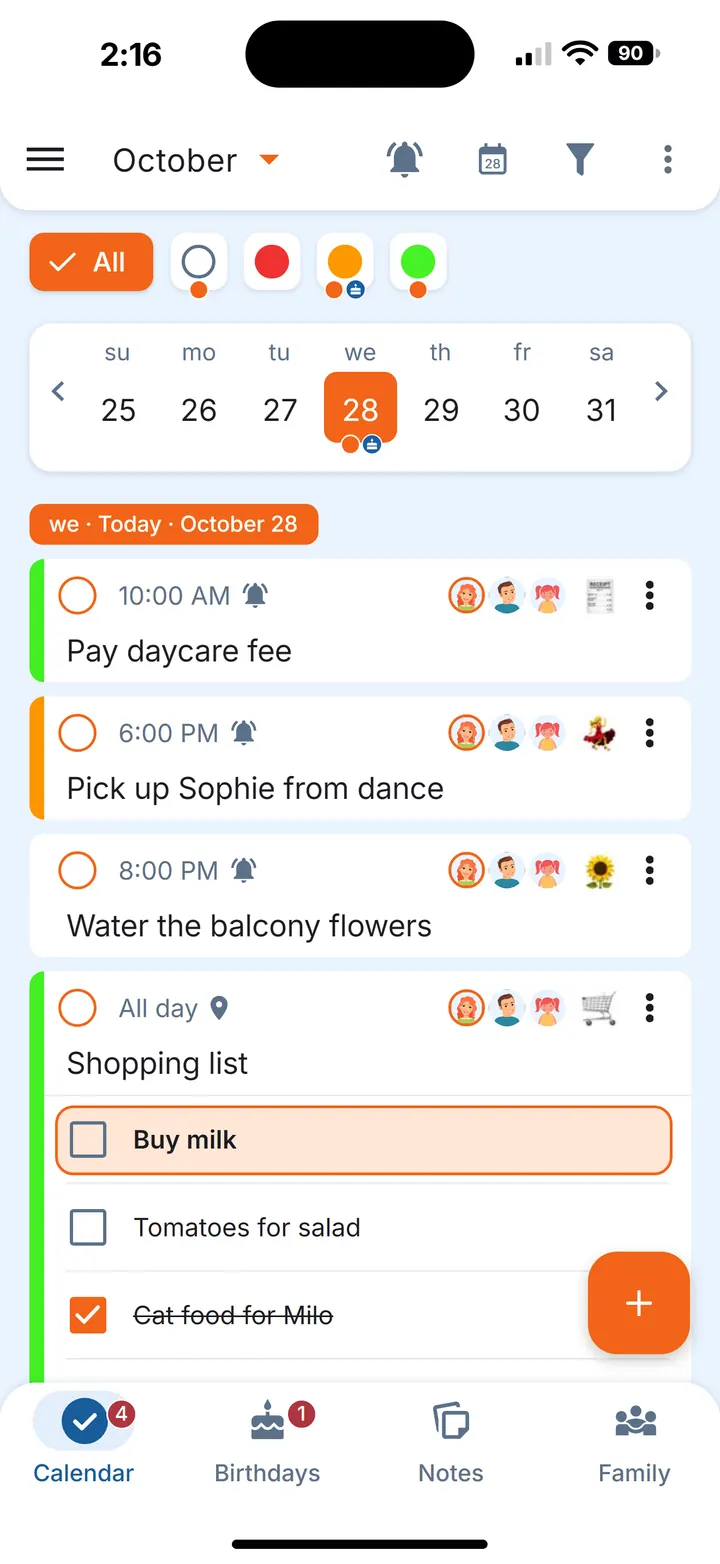
Set up a family to-do list in Family Errands
In Family Errands every to-do is an errand. You can use it on your own first and invite your family later; the family can have up to 5 people in total, and everyone in it is an equal participant.
Add the dated things
Add an errand on the right day in the calendar, give it a title — “Book the dentist” — and a time, or make it all-day if the time doesn't matter. Add a reminder, or several.
Let repeating jobs come back on their own
Make an errand repeat daily, weekly, monthly or yearly, or every N days or weeks — “Water the plants” every 3 days, “Take the bins out” every Tuesday evening. Set it once and it reappears on its own. For the full routine, see our home maintenance schedule.
Keep someday tasks in view
Create an errand with no date at all: it's shown every day until it's completed, so “fix the wardrobe door” moves to tomorrow by itself instead of disappearing. More on this in our someday list guide.
Bring in the lists you already have
If a list is sitting in a chat or a note app, copy it: the app offers to create a new errand from the copied text, and each line becomes a separate checklist item.
Share it with your family
Tap family members' avatars on an errand to share it. Everyone it's shared with sees it, can edit it and can tick it off, and changes appear on the other phones automatically.
Hand an errand over when someone takes it on
If your partner says “I'll do the parcel”, hand the errand over to them: it becomes theirs and leaves your list.
From notes to to-dos
Plenty of tasks start as a loose idea: “we should repaint the hall”, “things to sort before winter”. Keep those in a note — text, a checklist, or both — shared with the family or just for yourself.
When it's time to act, create an errand from the note — the note stays for next time. More in how to turn notes into to-dos. That makes notes useful as templates too: write a routine once — the weekly basics, a packing list, a monthly clean — and create a fresh errand from it whenever you need it. Moving house is a good example; see the moving checklist.
Small habits that keep the list useful
- Glance at the week. In the calendar, an orange dot under a date means something is still open that day; a grey dot means everything is dealt with.
- Skip, don't delete. If a repeating job doesn't happen one week, skip that one occurrence; the rest of the schedule stays as it was.
- Your own reminder times. On a shared errand the time is the same for everyone, but each person sets their own reminders — one an hour before, another ten minutes before.
- Living with friends rather than family? The same approach works; see the roommate chore list.
Questions
How do you make a family to-do list?
Gather everything in one place, sort it into dated tasks, repeating jobs and someday tasks, and share it so everyone at home can see and add to it.
What should be on a family to-do list?
Errands outside the home, calls and bookings, home jobs, repeating chores, family dates and shopping — anything the household needs to get done, not only cleaning.
Is there an app for a shared family to-do list?
Yes. In Family Errands a family of up to 5 people shares errands, notes and checklists, and changes show up on the other phones automatically.
Does Family Errands work on iPhone?
Yes. Family Errands is on the App Store and Google Play, and one family can use both: a partner on iPhone and a partner on Android share the same errands.