Why ordinary reminders go unheard
Plenty of us keep the phone on silent most of the day: at work, in a meeting, while a baby sleeps, or simply because constant pings get tiring. That's sensible, but it means an ordinary reminder arrives as a quiet line on the lock screen. If the phone is in a bag or lying face up across the room, nobody notices it.
For most errands, that's fine. You'll see the notification the next time you pick up the phone. But some reminders are tied to a moment: the cake that comes out of the oven in ten minutes, or the school pickup at quarter past three. For those, a reminder you only see later isn't much use.

When a reminder should ring on silent
It helps to keep this kind of reminder for a short list of things, so it still stands out when it rings. Good candidates are:
- Something in the oven or on the hob. A tray of biscuits, a roast, eggs on the boil.
- A fixed pickup time. Collecting a child from school or practice, meeting someone off the train.
- A short window you can't move. A parcel collection point that closes soon, or a call booked for a set time.
If everything rings on silent, nothing stands out. Use an ordinary reminder for the rest, and an Important one only where being heard is the point.
How to set a reminder that rings on silent in Family Errands
In Family Errands, Important is switched on in the errand's reminder settings, and it applies to all your reminders on that errand. On Android, an Important reminder sounds even when your phone is on silent.
Create the errand
Give it a short, clear title, such as “Take biscuits out of the oven” or “School pickup”, and set the date and time.
Add a reminder
Choose when it should come: at the time itself, or a set number of minutes or hours before.
Mark the reminder as Important
This is the reminder that will sound even when your phone is on silent.
Complete the errand when it's done
You can mark it complete from its card, the errand screen or the widget — and from the notification itself when the errand has no checklist.
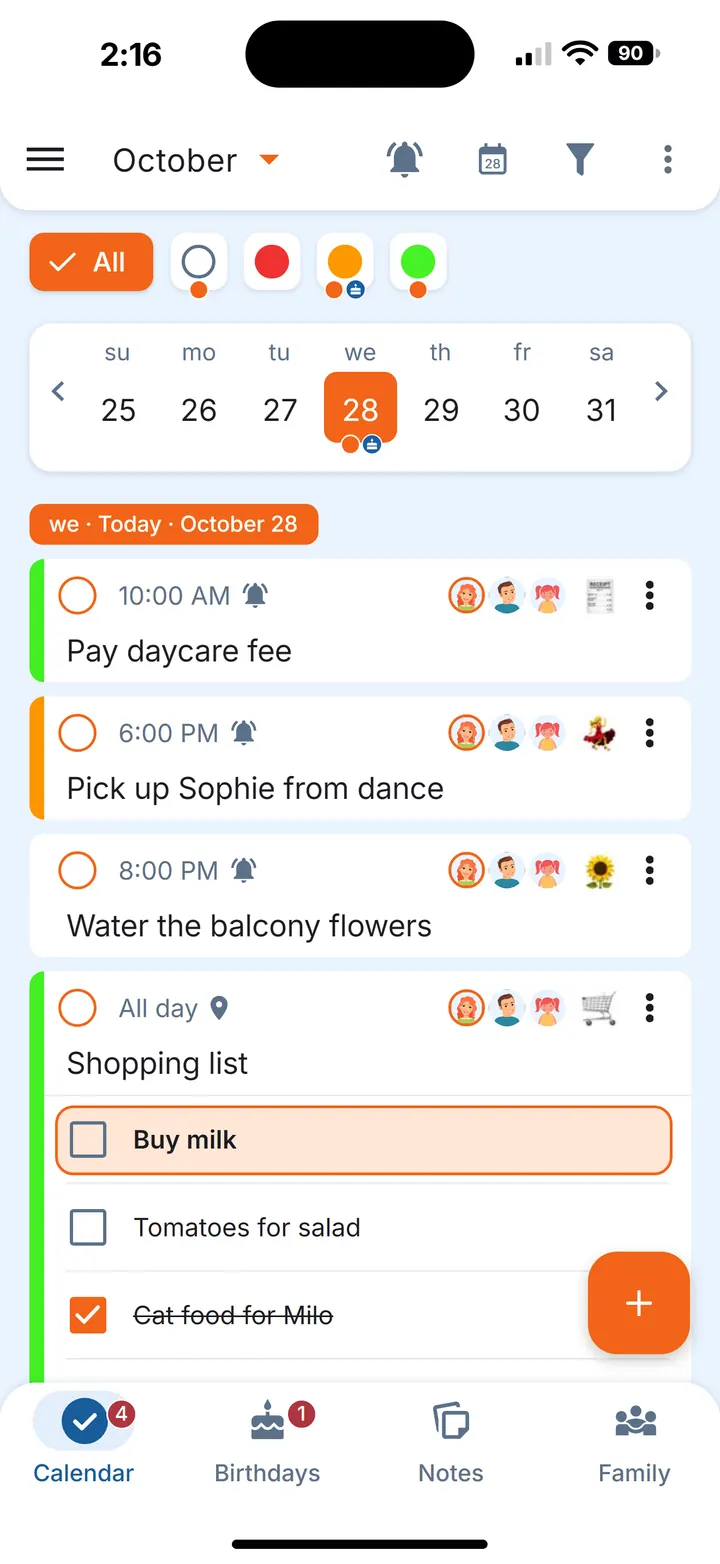
An errand can have several reminders, but Important applies to all of them, so keep that errand's reminders to the ones that really need to be heard.
Combining it with other reminders
An Important reminder answers one question: will I hear it? A few other reminder options in the app answer different ones.
- If you might hear it and still put the job off, a reminder that repeats until you complete the errand is a better fit. We cover that in a reminder that repeats until you do it.
- If the errand is about a place rather than a time, such as picking something up from the pharmacy, a reminder that fires when you arrive or leave may suit it better; see our guide to location-based reminders.
When the reminder arrives, you can also act on it straight from the notification: snooze it for 30 minutes or pick another time, and complete the errand when it has no checklist.
Shared errands: each person decides for themselves
If an errand is shared with your partner or someone else in your family, its time is the same for everyone, but reminders are personal: each participant can set their own, and it applies only to them; until they do, they get the reminders of whoever created the errand. One of you can have an Important reminder for the school pickup, say 10 minutes before, while the other keeps an ordinary one at a different time. Whoever does the pickup completes the errand, and everyone sees it's done.
For more on keeping recurring pickups and family plans in one place, see our family to-do list guide.
Questions
How do I get a reminder to ring when my phone is on silent?
Use a reminder that is made to sound on silent. In Family Errands on Android, add a reminder to the errand and mark it as Important: it sounds even when your phone is on silent.
Should every reminder ring on silent?
It's usually better not to. Keep it for the moments where hearing the reminder matters, such as something in the oven or a pickup time, and use ordinary reminders for the rest, so the Important ones still stand out.
Does Family Errands work on iPhone?
Yes. Family Errands is on the App Store and Google Play, and one family can use both: a partner on iPhone and a partner on Android share the same errands.