What a one-person household planner needs
Running a home alone isn't a smaller version of a family's to-do list; it has its own shape. Every job comes back to you, so the planner has to be reliable rather than elaborate. In practice it needs four things:
- One list for everything. Rubbish day, the rent, a parcel to collect, a friend's birthday. If they live in separate apps, notes and memory, something slips.
- Repeats that set themselves up. Most household jobs come round on a rhythm: weekly, monthly, once a year. Writing them down once is enough.
- Reminders that fit the moment. Some things belong to a time (pay the bill on the 25th), others to a place (buy light bulbs when you're at the shop).
- Room for the undated. “Fix the wardrobe door” has no deadline, but it shouldn't vanish either.

Start with a quick inventory
Before opening any app, spend ten minutes listing what the home asks of you. A simple way to sort it:
- Every week: bins, laundry, a food shop, watering plants.
- Every month: rent or mortgage, meter readings, a deeper clean, a bill or two.
- Once a year: insurance renewals, a boiler service, a tax return, birthdays and anniversaries.
- Some day: small repairs and projects that can wait but shouldn't be lost.
For a fuller ready-made list sorted by frequency, see Household chores list: daily, weekly and monthly.
Setting it up in Family Errands
Family Errands is built for households of up to 5 people, but it works fully on your own: everything below is available without inviting anyone. Many people start alone and keep it that way, or invite someone later.
Add the repeating jobs
Create an errand from the calendar for each regular chore and set it to repeat: weekly on chosen days, every N days, monthly on a date or the last day of the month, or yearly. A yearly errand can move off inconvenient days such as a weekend. More ideas in the home maintenance schedule and monthly bills reminder articles.
Give each one a reminder
Choose when it should alert you, and add more than one if it helps. For a bill you keep putting off, set the reminder to repeat, and it comes back until you mark the errand done; see reminder that repeats until done.
Attach shopping to places
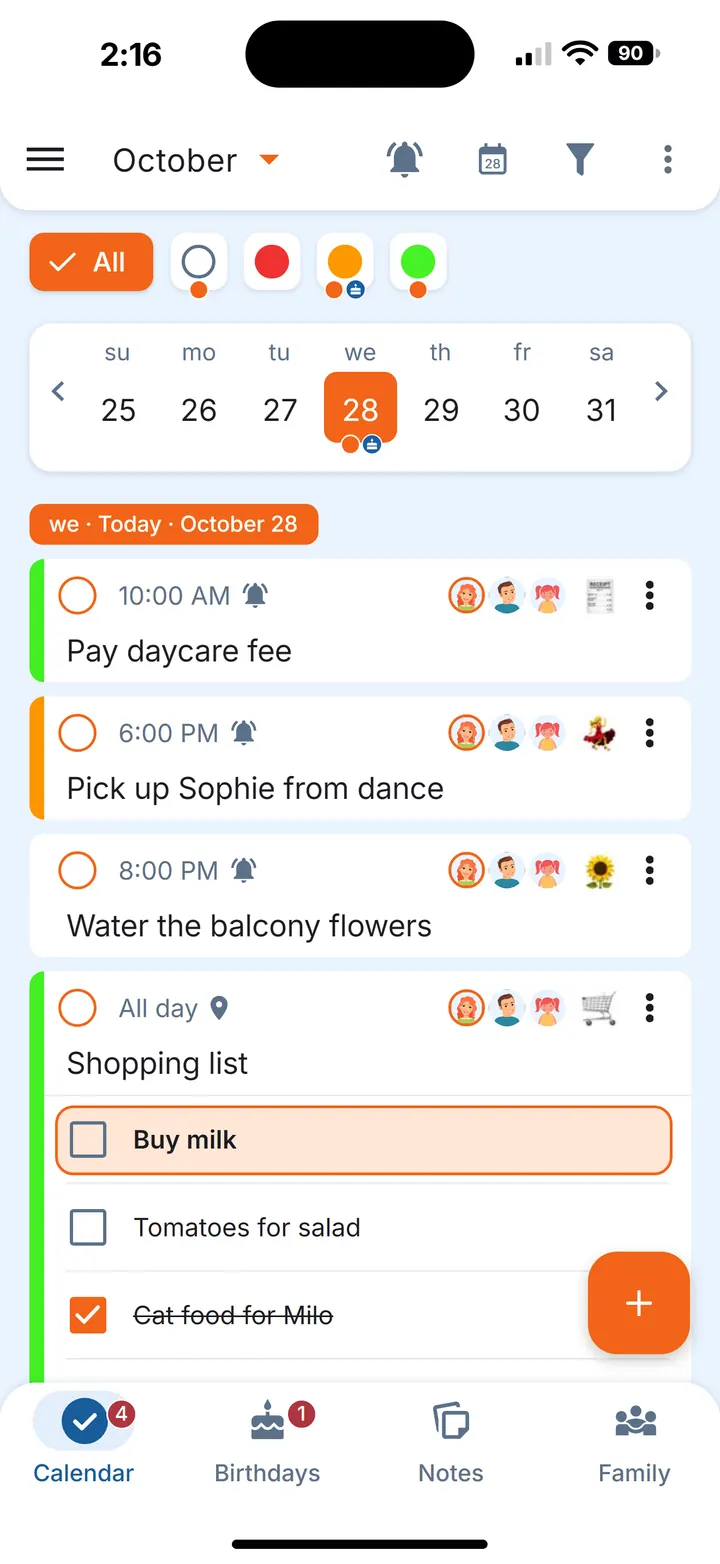
Put the grocery list in an errand as checklist items and set a location reminder for when you arrive at your supermarket, so the list appears as you walk in. Details in location based reminder.
Park the undated jobs
Make them Anytime errands: they have no date and are shown each day until completed. Read more in someday list.
Add the yearly dates
Birthdays and anniversaries go in their own tab, with gift ideas and reminders a chosen number of days before. See birthday reminder app.
Small habits that keep it working
- Glance at the week. An orange dot under a date means something is still open that day; a grey dot means everything for that day is dealt with.
- Keep templates in notes. A weekly basics list or a monthly cleaning routine can live in a note; when it's time, create an errand from it and the note stays for next time. The grocery staples list shows this in practice.
- Track things that run out. Water filters, coffee capsules, contact lenses: on a repeating errand, stock tracking with the low-stock reminder tells you when only a few are left. See replace filters on time.
- Put a list on the home screen. The Selected errand widget shows one errand with its checklist, and items can be ticked right there.
- Move what doesn't fit today. Shift an errand to another day, or skip one occurrence of a repeat without touching the rest.
If someone joins later
Solo today doesn't have to mean solo always. If a partner, flatmate or relative starts helping with the home, you can invite them into your family and share only the errands, notes or birthdays that concern them; everything else stays just for you.
Questions
Can I use Family Errands on my own?
Yes. Solo use is complete: errands, repeats, reminders by time and place, notes, birthdays and widgets all work without inviting anyone.
Do I need a subscription if I live alone?
The app starts with a free trial inside the app, with no payment card needed to start it. After the trial it requires a subscription, monthly or yearly; the same subscription would also cover up to 5 people in total if you invite anyone later.
How do I organise a home when I'm the only one doing it?
Write everything down once in one place, sort it by how often it comes round, and let repeats and reminders bring each job back when it's due. Keep a separate spot for undated jobs so they stay visible.